Tokyo 5 Days Couple: SIM/eSIM Guide
By Japan Connect Guide Team · Updated 9/12/2026
This article contains affiliate links. We may earn a commission if you make a purchase, at no extra cost to you. Learn more.
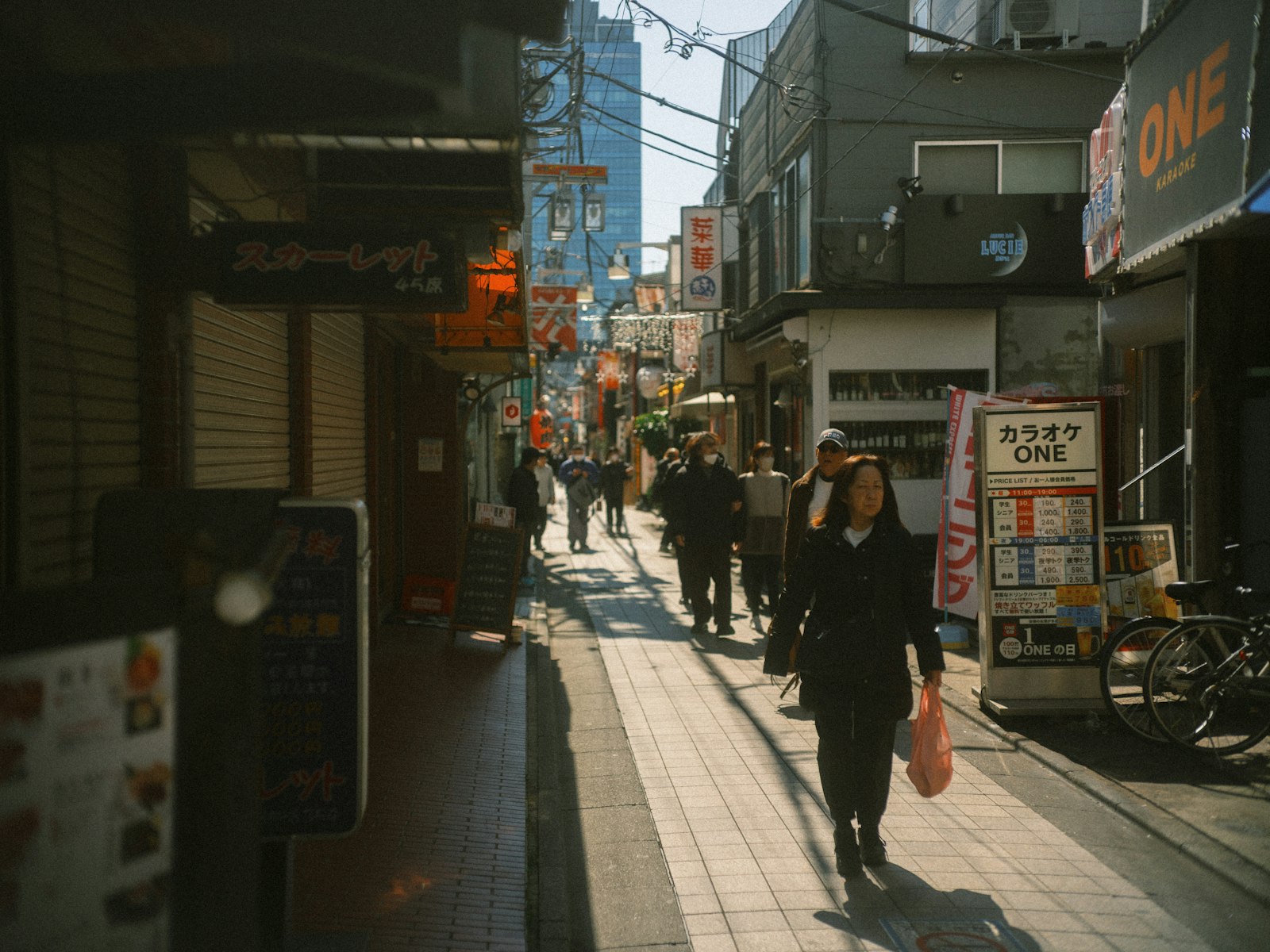
Every guide to traveling as a couple raises the possibility that you might get separated. In Tokyo it isn’t a possibility, it’s a Tuesday. Shinjuku Station alone has more than one hundred and fifty exits spread across several operators’ lines, and the Shibuya Scramble moves thousands of people at once. You will lose each other, briefly, more than once, and the setup that handles that well is different from the one that’s cheapest on paper.
Quick answer
- Two individual eSIMs at ¥5,500 if Shinjuku will separate you, and the one without the router is stranded
- A numbered exit agreed in advance if it costs nothing and beats any upgrade to your data plan
- Not a shared router if two eSIMs cost less than the seven-day rate a five-day trip must pay
- A router instead if a phone cannot take an eSIM, or a laptop is coming with you
Getting separated in Tokyo is a design constraint, not an accident
A shared pocket Wi-Fi router connects whoever is standing near it. That’s fine walking a shopping street together. It is precisely the wrong tool for a station where one of you makes the train and the other doesn’t.
That scenario is the one to plan for. The moment you’re separated, the person without the router has no map, no messaging, and no way to say which exit they’re standing at, in a station with more exits than most towns have streets. It’s not dangerous, but it turns a two-minute problem into a thirty- minute one, and it happens in the places you’ll be every day.
Two independent connections remove the failure mode entirely. Each of you can navigate, each of you can message, and the question of who is carrying what never arises.
And it’s cheaper, which surprises people
The shared router is usually recommended to couples as the budget option. For two people over five days, it isn’t.
| Setup | Cost |
|---|---|
| Two Mobal 5G Unlimited eSIMs, 5 days (¥2,750 each) | ¥5,500 |
| Sakura Mobile pocket Wi-Fi, 4 days | ¥6,248 |
| Sakura Mobile pocket Wi-Fi, 7 days | ¥8,558 |
| Japan Wireless pocket Wi-Fi, 4 days | ¥7,106 |
Neither provider offers a five-day router, so covering a five-day trip means paying the seven-day rate. Two eSIMs cost less than that and less than the four-day tier as well. The router’s economics only start working at three or four people sharing one connection.

Mobal
¥2,750 each for exactly 5 days. Independent connections for less than one shared router
940+ customer reviews, mostly positive
How much data does a couple use in Tokyo?
| App / activity | Approx. data use |
|---|---|
| Subway and JR navigation, exits and transfers (per person) | ~80-150MB per day |
| Restaurant and shop lookups (per person) | ~200-500MB per day |
| Photo and video sharing between phones | ~150-300MB per day |
| Google Translate, camera mode | ~20-50MB per day |
About 1-2GB per person per day. Tokyo’s dense rail map means more active navigation than a smaller city, but the totals stay modest and every plan below covers them.
Recommended options
Mobal940+ customer reviews, mostly positive
Verified Jul 28, 2026
Tourist eSIM, 5G Unlimited, 3 days
Unlimited (15GB hotspot/tethering cap)
¥1,650
Tourist eSIM, 5G Unlimited, 5 days
Unlimited (15GB hotspot/tethering cap)
¥2,750
Tourist eSIM, 5G Unlimited, 7 days
Unlimited (15GB hotspot/tethering cap)
¥3,850
Tourist eSIM, 5G Unlimited, 14 days
Unlimited (15GB hotspot/tethering cap)
¥6,600
Tourist eSIM, 4G Fixed, 10GB / 16 days
10GB
¥4,620
Tourist eSIM, 4G Fixed, 50GB / 31 days
50GB
¥6,600
 Sakura Mobile
1,402 customer reviews, mostly 5-star but with some complaints
Verified Jul 28, 2026
Pocket Wi-Fi, Unlimited, 4 days
Unlimited
¥6,248
Pocket Wi-Fi, Unlimited, 7 days
Unlimited
¥8,558
Pocket Wi-Fi, Unlimited, 30 days
Unlimited
¥37,500
 Japan Wireless
699 customer reviews, few complaints
Verified Jul 28, 2026
Pocket Wi-Fi, Unlimited, 4 days
Unlimited
¥7,106
Pocket Wi-Fi, Unlimited, 7 days
Unlimited
¥9,960
Pocket Wi-Fi, Unlimited, 1 day
Unlimited, no daily cap, no speed reduction (per provider's own claim)
¥4,064
Pocket Wi-Fi, Unlimited, 14 days
Unlimited, no daily cap, no speed reduction (per provider's own claim)
¥12,430
Pocket Wi-Fi, Unlimited, 30 days
Unlimited, no daily cap, no speed reduction (per provider's own claim)
¥20,860
The router remains the better answer in two cases: if one of your phones doesn’t support eSIM, or if you’re bringing a tablet or laptop that would otherwise need a plan of its own.
Tokyo-specific notes
Tokyo Metro and Toei lines run mostly underground, but mobile service is available across the network, tunnels included, so you are not cut off between stations. What you may notice is a slowdown in the deepest stations or while changing lines at a busy interchange.
One thing to set up before you go: agree on a default meeting point for each major station you’ll use regularly, and make it a specific exit number, not “the north side”. Combined with two independent connections, it makes getting separated a non-event.
If your day trip runs out to Kamakura, JR coverage holds the whole way. The patchier moments are inside some of the older temple grounds themselves, where thick stone and dense tree cover weaken signal briefly.
Extending your trip, or traveling with kids?
- ✓ See our Tokyo-Osaka family guide
- ✓ Solo instead? See our Tokyo 7-day solo guide
Still deciding between eSIM and physical SIM in general? See our full eSIM vs Physical SIM comparison.
Sakura Mobile
Pocket Wi-Fi if you're also bringing a tablet or laptop, or if one phone can't take an eSIM
1,402 customer reviews, mostly 5-star but with some complaints
Frequently Asked Questions
Is it cheaper for a couple to share one pocket Wi-Fi in Tokyo?+
No. Two Mobal 5-day eSIMs total ¥5,500, while Sakura Mobile's 4-day router is ¥6,248 and the 7-day tier is ¥8,558. That 7-day tier is the one that actually covers a five-day trip, since no 5-day router exists. Two independent connections cost less than one shared router.
What happens if we get separated in a Tokyo station?+
With a shared router, whoever isn't carrying it has no map and no messaging, in a station like Shinjuku that has well over a hundred exits. With separate connections it's a two-minute problem. Agreeing on a specific exit number as a default meeting point for stations you use often helps too.
Will the subway affect our connection?+
Less than you might expect. Mobile service is available across the Tokyo Metro and Toei network, tunnels included, so a transfer does not take you offline. You may notice a slowdown in the deepest stations or at a busy interchange.
Does a day trip to Kamakura need special planning?+
Not really — JR coverage stays solid the whole route. The only weaker spots are inside some older temple grounds, where thick stone construction and dense tree cover cause brief dips.
Going out of the city?
These are day or overnight trips from where you are based, and the plan you buy for this trip covers them.
This guide covers one trip. For arrival, coverage and what to expect across the whole city:
Related guides

Kyoto 5 Days Couple: SIM/eSIM Guide
Kyoto empties out early — temples close mid-afternoon and buses thin out at night. For a couple, that makes an independent connection each worth more than a shared router.
Updated September 12, 2026
Okinawa 5 Days Couple: SIM/Wi-Fi Guide
In Okinawa the driver's phone is the navigation system, mounted and running for hours. That changes what you should buy — and it isn't a pocket Wi-Fi router. Costs and reasoning.
Updated September 12, 2026
Osaka 5 Days Couple: SIM/Wi-Fi Guide
Most guides tell couples to share one pocket Wi-Fi to save money. Run the actual numbers for 5 days in Osaka and that's wrong — two eSIMs come out cheaper. Here's the math.
Updated September 12, 2026